Digital Wellbeing Suite for Schools
A practical school package for healthier technology use, built around three TechWell pilot directions: digital citizenship and communication, digital productivity and learning, and mental, physical and digital health. The suite helps a school start where it is, choose priorities and act with clarity.
The Digital Wellbeing Suite is being tested and refined through cross-country school piloting. Final evaluation findings and policy recommendations will follow after the experimentation cycle.
Digital Wellbeing Suite Guide for Schools
A practical school implementation handbook for school leaders, teachers, students and families. It brings together the Growth Check, school strategy route, role guidance, classroom pilots, practical tools and the Digital Wellbeing School badge pathway in one detailed resource.
The live Digital Wellbeing Suite remains the main interactive entry point. The detailed Guide for Schools provides the fuller implementation route, printable appendices and evidence templates in one downloadable handbook.
How the Digital Wellbeing Suite helps a school
Most schools do not begin with a blank page. They already have policies, caring staff, digital tools and students with clear views, but practice may be uneven. The Suite brings those separate efforts into one visible journey. It turns a broad concern into a shared picture, a few practical priorities, tested routines, classroom learning and light evidence.
From mixed messages to one shared direction
Parents raise concerns about late class messages while staff feel overwhelmed. The Suite helps the principal bring voices together, choose communication and boundaries as priorities, align one routine with existing policy and review it. The result is a shared expectation rather than different rules in every class.
Open principal guidanceFrom digital friction to a manageable lesson pattern
Digital tasks are useful, but students lose focus or versions. The teacher tests one purposeful-choice prompt and one focus-and-transition routine, then keeps what helps. The result is classroom evidence and a repeatable pattern, not another platform.
Open the teacher pilot pagesFrom uncertainty to knowing how to act
A screenshot is shared without consent, or digital workload feels too much. The Suite makes consent, respectful repair, reporting routes, boundaries and support visible and gives students a voice. The result is knowing both how to act and how to ask for help.
Open student guidanceThe school route through the Suite
Badges schools can show
The TechWell badge family combines three pilot progress markers, the formal Digital Wellbeing School whole-school award, and two personal recognition badges: Teacher Champion and Student Ambassador.
Digital citizenship & communication
Implemented and reviewed learning about respect, communication, privacy, consent, safety and ethical choices.
Digital productivity & learning
Implemented and reviewed learning that supports purposeful technology choice, focus and manageable digital work.
Mental, physical & digital health
Implemented and reviewed routines that support balance, movement, boundaries, wellbeing and visible help routes.
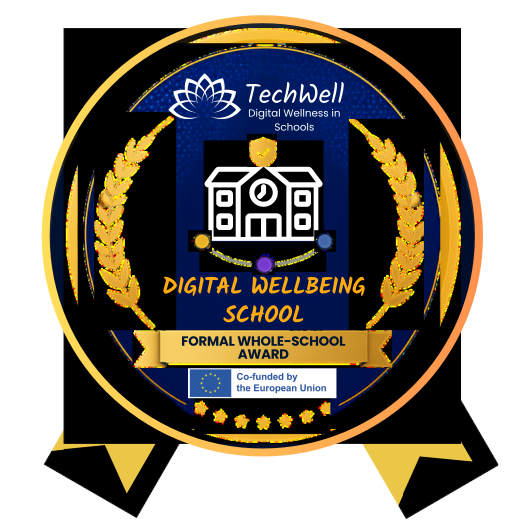
Digital Wellbeing School
Earned when the school can show the six commitments and a coherent, privacy-preserving evidence pack.
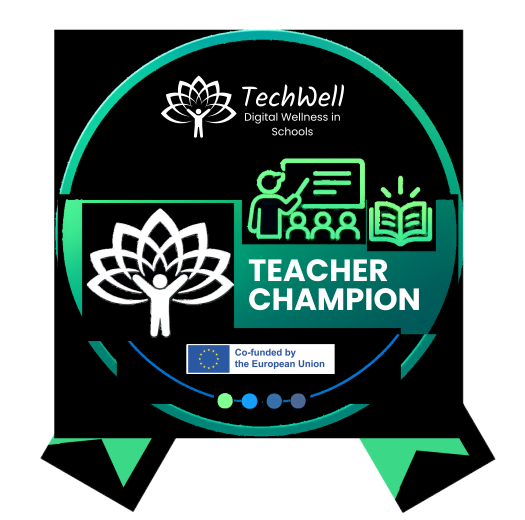
Teacher Champion
Personal recognition for teachers who turn agreed digital wellbeing priorities into everyday classroom practice.
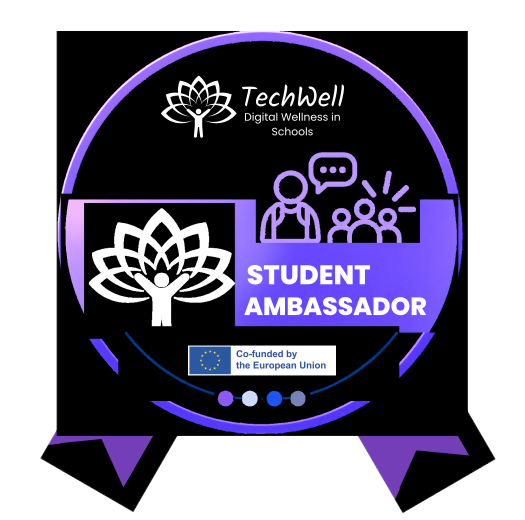
Student Ambassador
Personal recognition for students who support safer, healthier and more participatory digital school life.
How a teacher earns the badge
- Uses relevant TechWell educational materials in a classroom activity linked to a school priority.
- Tests and reviews one visible digital wellbeing routine, with accessible alternatives and appropriate safeguarding.
- Uses student feedback to make an improvement and shares the approach with a colleague.
Light evidence: an activity example, routine, brief reflection and note of peer sharing, confirmed by the school's digital wellbeing coordinator.
How a student earns the badge
- Completes an age-appropriate introduction with a named adult mentor, including privacy, consent and when to seek help.
- Co-designs or supports one digital wellbeing activity, agreement or routine with other students.
- Promotes safe help routes and shares anonymous or aggregated feedback to improve the activity.
Light evidence: an activity example and brief reflection, confirmed by the adult mentor. Student Ambassadors do not monitor classmates or investigate incidents.
How a school can use its recognition
- Website: after verification, place the badge on the school website. If TechWell later introduces a formal recognition record, the badge may also link to that record.
- Communications: use it in the newsletter, annual report, prospectus, open-day slides or family portal.
- Digital spaces: add it to approved email signatures, the learning platform or a school social post.
- On site: display the matching print certificate or entrance sign beside the strategy and student-voice work.
The whole-school route
- Complete the Growth Check with more than one stakeholder voice.
- Agree a one-page strategy with two priorities, owners and a review date.
- Implement an action connected to each of the three pilot directions.
- Collect light, privacy-preserving evidence and meaningful student and family feedback.
- Review what changed and complete the evidence pack. The submission and verification process will be published by TechWell once the formal badge application route is available.
Digital wellbeing growth check
The Digital Wellbeing Growth Check is a structured starting conversation. It is inspired by the positive-growth approach of Singapore's Living Well Digitally / Digital Wellbeing Indicator Framework, adapted here for whole-school planning. It is not a score, league table, audit or judgement.
How to run the Growth Check
- Invite a small mixed group: one leader, one or two teachers, a student voice and a parent or support professional where possible.
- Allow 30-45 minutes. Read each statement and ask for a real example before selecting it.
- Record one strength and one growth opportunity for each area. Do not calculate a total score.
- Look for the overall pattern: where is practice shared and consistent, and where does it depend on individuals?
- Choose two growth opportunities to carry into the strategy and agree a review date.
Select what already describes your school
Use the selections to support discussion. The tool does not calculate a score or automatically assign a maturity level.
How to run the three TechWell classroom pilots
Choose a pilot direction, then use the ready-to-use three-lesson sequence. These Teacher Pilot Pages translate the three TechWell pilot directions into practical classroom implementation. They do not represent the full cross-country TechWell experimentation process, which also includes school selection, formal baseline assessment, implementation monitoring and evaluation. See the official experimentation framework in WP3
What the Digital Wellbeing Suite includes
Click each part to see what it does and where it appears in the school route. The full wording is used throughout so the page is clear for first-time visitors.
A simple school strategy template
The template is simple enough to use, but complete enough to guide a school from vision to action. The TechWell strategy is aligned with European School Education Platform guidance that digital wellbeing works best through a whole-school approach linked to wellbeing and digital competence strategy: Developing digital wellbeing in classrooms.
Listen, test, review and embed
Complete the Growth Check, name the coordination group, agree the vision and choose two priorities.
Use modules in classrooms, introduce visible routines and involve students and families.
Summarise feedback, improve routines, agree the next cycle and organise badge evidence.
From vision to action
A simple whole-school strategy route.
What already works?
Use the pattern to choose realistic next steps - not to score the school.
Choose two realistic priorities
Give each group a clear role
Test practical changes
Review. Adapt. Grow.
Start where you are.
Choose priorities. Act. Learn. Improve.
From starting point to shared action
See how a school can move from the Growth Check to realistic priorities, shared roles, practical action and review.
Guidance for:
Use the role tabs for practical implementation guidance. Published family and school-leader resources are available through the Educational Materials area.
Keep participation safe, proportionate and privacy-preserving
- Use existing safeguarding routes when serious harm is disclosed.
- Keep student feedback anonymous or aggregated where possible.
- Provide accessible alternatives and include students with different needs.
- Do not collect screenshots, chat transcripts or identifiable "digital diaries" as programme evidence.
- Do not ask Student Ambassadors to monitor peers or investigate incidents.
- Separate support from discipline and treat concerns confidentially.
When a student asks for help: listen calmly, check whether urgent support is needed, follow the school's normal safeguarding or pastoral route, share information only with those who need it, and explain what happens next.
Educational materials
The educational materials are based on the TechWell Harmony Framework: TechWell's connected view of digital citizenship, productivity, environment, communication, relationships and health. The thematic modules below show how these areas connect to practical classroom activity.
Tools and resources
Click a tool family to see examples that can be used by the school community.
Ten practical tools
Open the smallest tool that helps with the current priority. Copy the starter, adapt it to the school context and use it inside existing meetings, lessons and communication.
1. School Vision Card
Use this at the first coordination meeting to turn a broad intention into a one-page direction the whole community can understand.
In our school, technology helps...
We protect...
Students can...
Staff can...
Families can...
When something goes wrong...
We review...
2. Priority Filter
Rate each possible action by student benefit, urgency, feasibility and equity. Select only two priorities for the cycle.
Possible action:
Student benefit (1-3):
Urgency (1-3):
Feasibility (1-3):
Equity and inclusion (1-3):
Decision: start / adapt / hold
Reason:
3. Class Chat Code
Co-create this with students before a class chat or learning platform is used. Keep the final code visible in the same digital space.
Our chat has a clear learning purpose.
We use a respectful and inclusive tone.
Our quiet hours are...
We ask for consent before sharing images, screenshots or work.
Our response expectation is...
If conflict starts, we pause, clarify and repair.
If help is needed, we contact...
4. Focus-and-Transition Routine
Use this during a normal lesson when attention, notifications or transitions are making digital work harder.
1. Name the learning purpose.
2. Set a focused work period.
3. Silence non-essential notifications.
4. Pause, move or look away.
5. Summarise what was learned before the next activity.
5. Balanced Lesson Card
Use this while planning a lesson to check that technology adds value and that participation remains accessible.
What learning value does the digital element add?
Is there an accessible alternative?
Where would a non-digital moment help?
What attention, posture or movement routine is needed?
How will students reflect on whether the choice helped?
6. Digital Workload Check
Use this with staff and student representatives when multiple platforms, deadlines or response expectations create overload.
Platforms currently used:
Digital homework expected:
Expected response times:
Known peak periods:
Duplication we can remove:
Deadline or channel we need to clarify:
Accessible alternative available:
7. Mood and Focus Micro-poll
Use one to three anonymous items after a short pilot. Track class or year-group patterns, not individual students.
Choose: not yet / sometimes / usually
I could focus.
Digital work felt manageable.
I knew where to get help.
One thing that helped was...
One adjustment that would help is...
8. Home-School Norms Agreement
Use this in a family conversation to create consistent, realistic expectations without blaming families or students.
Homework boundaries:
School communication channels:
Expected response times:
Sleep-friendly routines:
Device-free moments that work for us:
How a family can request an alternative:
When the school will review this agreement:
9. Safe Reporting Map
Keep this visible in classrooms and digital platforms. Link it to normal safeguarding procedures and local emergency routes.
Named trusted adult:
How to contact them confidentially:
Anonymous option, if available:
Safeguarding escalation route:
Emergency contact:
What a student can expect after reporting:
Where the map is displayed:
10. Monthly Review Sheet
Use this at the end of each implementation month to improve the next cycle, not to rank people.
What was tried?
What changed?
Who benefited?
What was difficult?
Were there safety, privacy, accessibility or inclusion issues?
What evidence did we keep?
What is the next adjustment, owner and review date?
External tools that may complement the Suite
Whole-school reflection on digital technology for learning. Use as complementary evidence, not as a digital wellbeing score.
SELFIE for TeachersPrivate professional reflection and development. Use aggregated themes to plan support, not to rank teachers.
Use screen-time, focus, downtime and notification awareness voluntarily; do not collect personal device data centrally.
Connect advice, helplines and online safety resources to national safeguarding and support routes.
The Digital Wellbeing School badge route
The badge recognises a school that has moved from individual activities to a shared and improving whole-school approach. It is not a reward for perfect technology use and it does not require the school to eliminate every digital challenge.
Show that the school has listened, planned, acted across all three pilot directions, protected rights and inclusion, and used evidence to improve.
Leadership and strategy
A named coordination group, a clear one-page strategy and links to existing school plans.
Teaching and learning
Teachers use relevant Harmony materials and shared routines that support purposeful, balanced learning.
Health, attention and balance
The school addresses stress, distraction, movement, ergonomics, sleep or disconnection through visible support and routines.
Citizenship, safety and ethics
Students learn and practise respect, privacy, consent, information integrity, responsible AI use and safe reporting.
Inclusion and partnership
Students and families have a voice; accessible alternatives and different needs are considered.
Evidence and improvement
The school reviews actions using light, privacy-preserving evidence and agrees the next cycle.
Minimum implementation evidence
- Completed Growth Check with examples and more than one stakeholder voice.
- One-page strategy with two priorities, owners, actions and a review date.
- At least one implemented action connected to each pilot direction across the school year.
- Educational activity evidence from at least two classes or year groups.
- A visible whole-school routine or agreement.
- Meaningful student and parent participation.
- Safeguarding, privacy, accessibility and inclusion checks.
- A short review and next-cycle decision.
A 12-week preparation route
- Weeks 1-2: Growth Check and coordination.
- Weeks 3-4: Strategy and communication.
- Weeks 5-9: Teach and test actions.
- Weeks 10-11: Collect feedback and review.
- Week 12: Complete the evidence pack and prepare it for the future formal submission process.
Keep the pack short enough to review in 30-45 minutes. Verification checks coherence and evidence, not presentation quality.
How this interactive Suite relates to TechWell deliverables
This school-facing page translates elements of the Digital Wellbeing Suite implementation guidance, roadmap, educational resources and practical tools into an interactive format. The Digital Wellbeing Suite Guide for Schools is the detailed implementation handbook that accompanies this live Suite. Official project outputs, publication status and public summaries are listed separately on the Deliverables page.